Payment, changes, and canceling
Pay for a plan, then change it or cancel your subscription in payment management
Contents
Paying
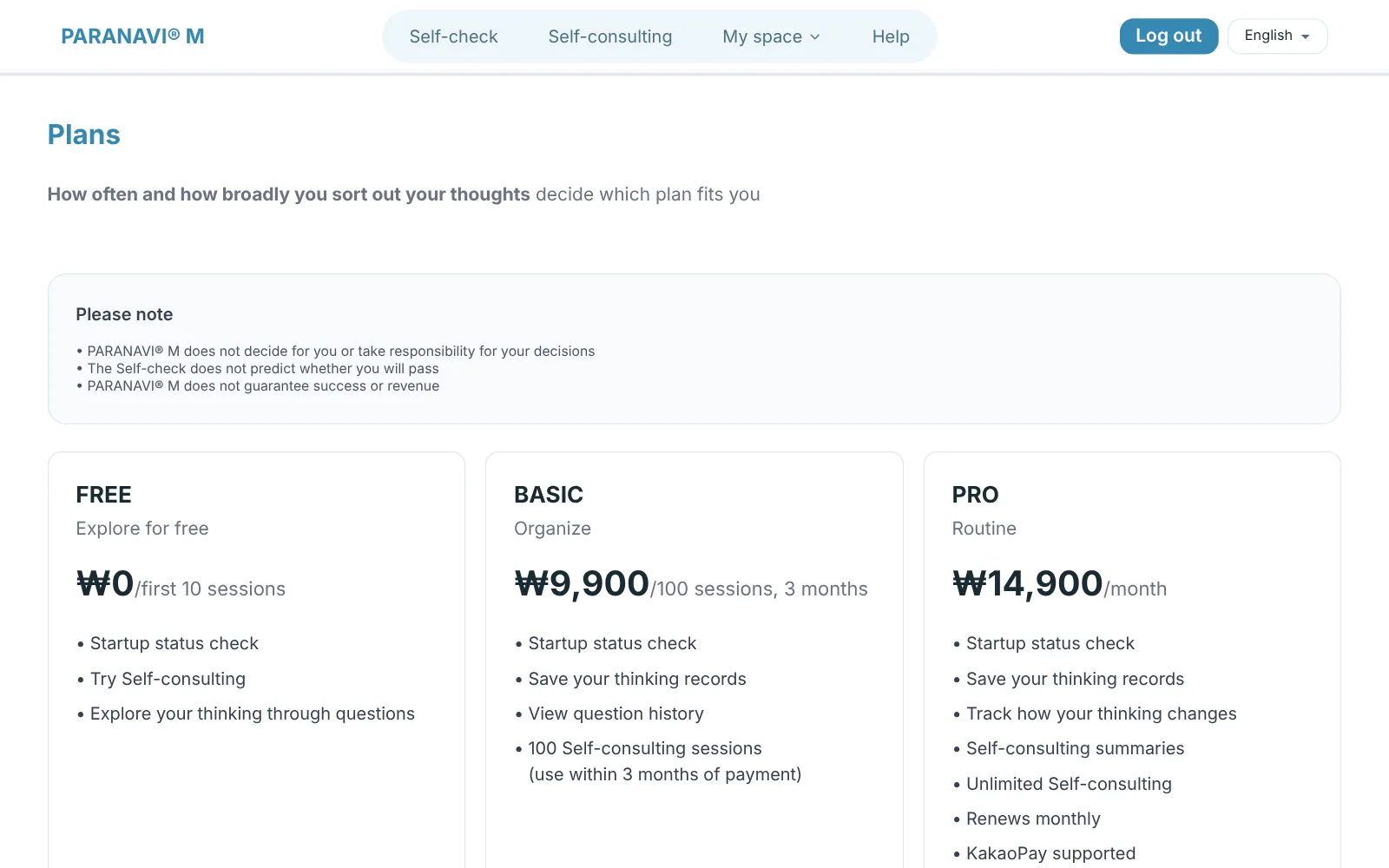
- 1
Choose a plan
Go in through the Plans button on the Dashboard or Info screen and choose the plan you want.
- 2
Confirm your phone number
If you haven't registered a number, enter it before paying.
- 3
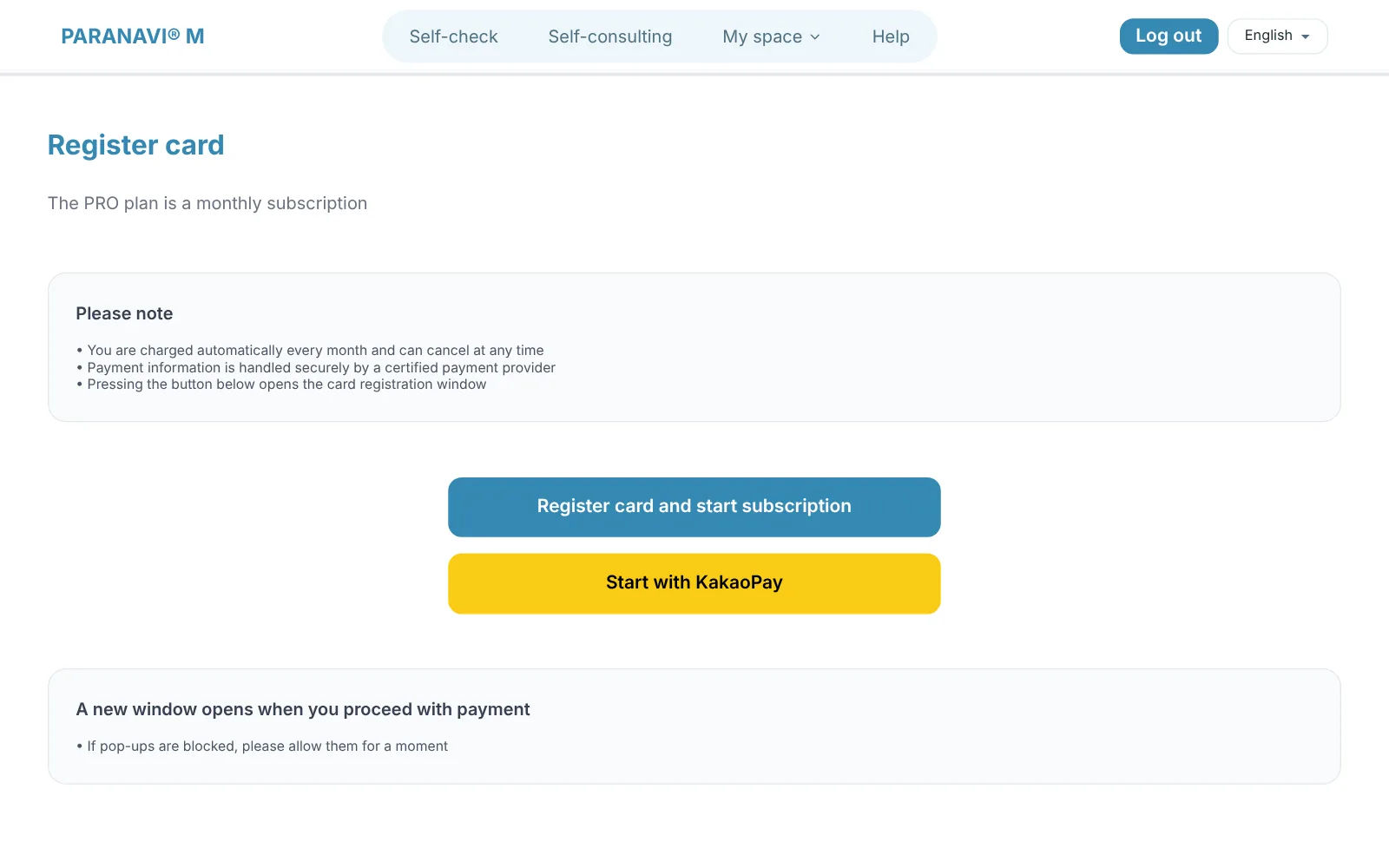
Pay
BASIC is a one-time card payment. For PRO, register a card or start a subscription with KakaoPay. Payment happens in a new window.
Payment management
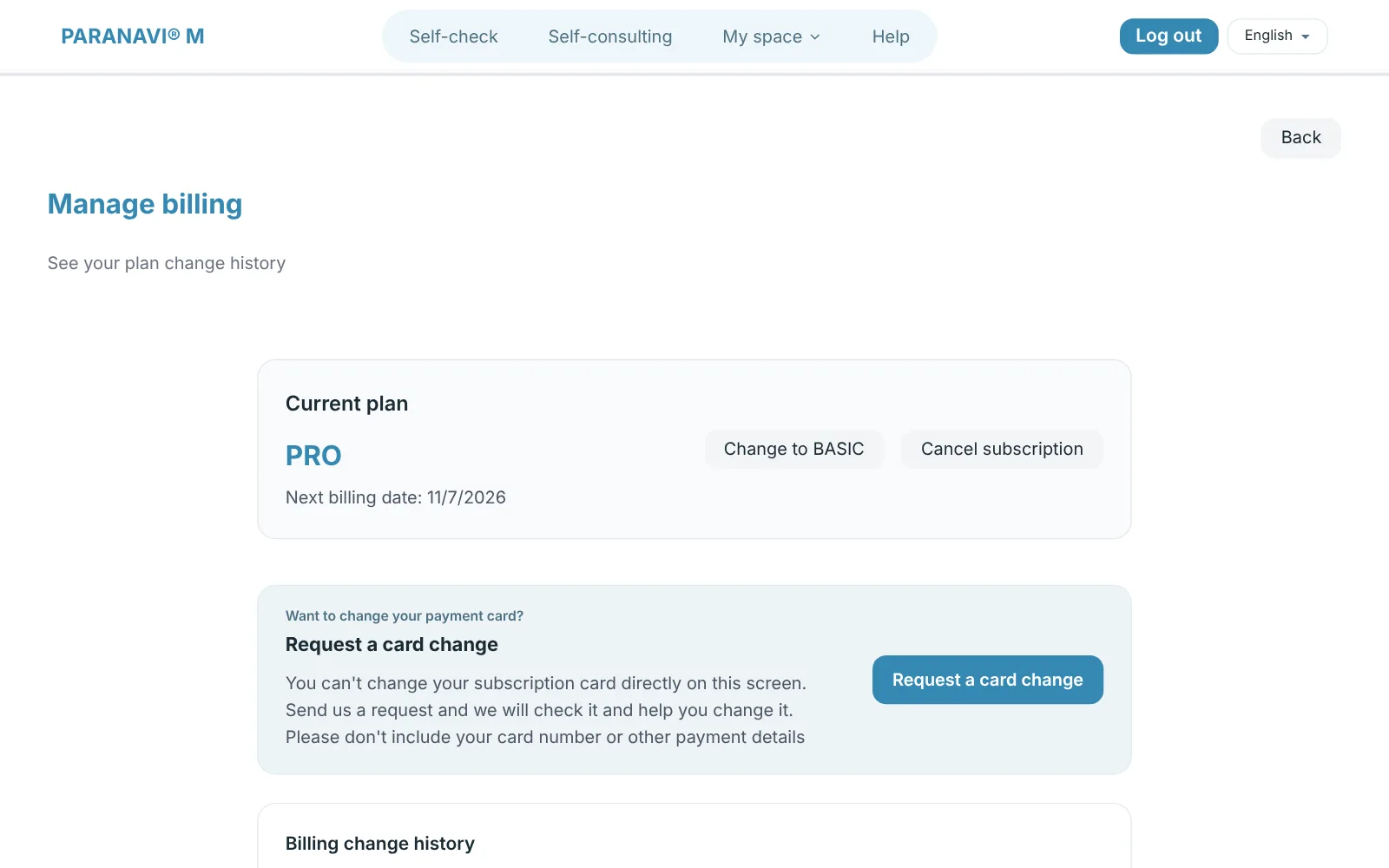
- See your current plan, next billing date, and payment change history.
- Change to BASIC: You switch to BASIC when the current billing cycle ends. After the switch, PRO features are no longer available.
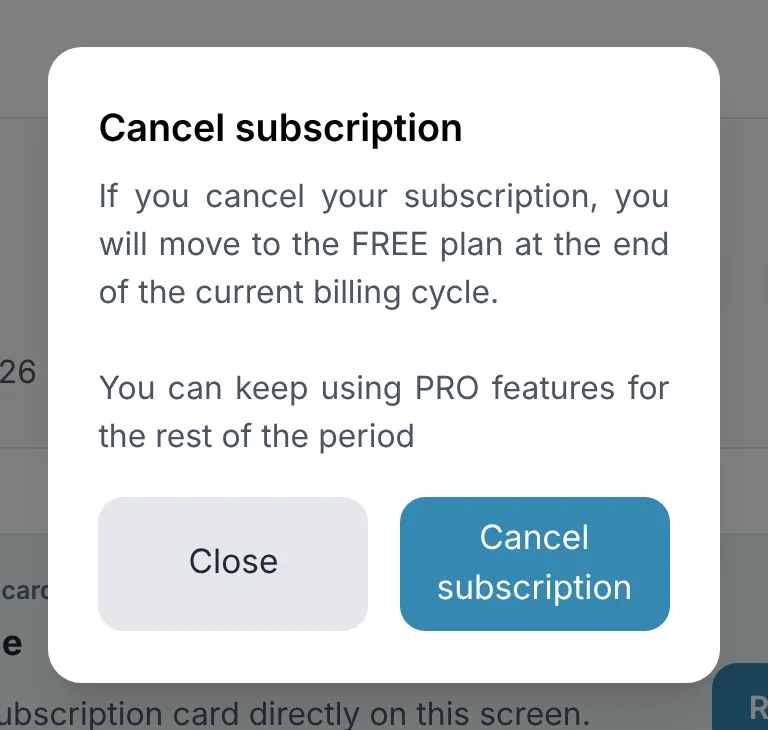
- Cancel subscription: You move to FREE when the current billing cycle ends, and you keep using PRO features for the rest of the period.
- Withdraw cancellation: If you change your mind after scheduling a cancellation, auto-renewal continues from your next billing date.
Refunds
- BASIC: If you haven't used it, you can request a full refund within 7 days of payment. If you've used part of it, refunds may be limited.
- PRO: When you cancel, billing stops from your next billing date. The remaining period isn't refunded on a daily basis.
- Request refunds at hello@thefieldplayer.kr, and we'll process them within 5 business days.