Reviewing and recording a decision draft
Edit the decision draft M suggests and record it as your own choice
Contents
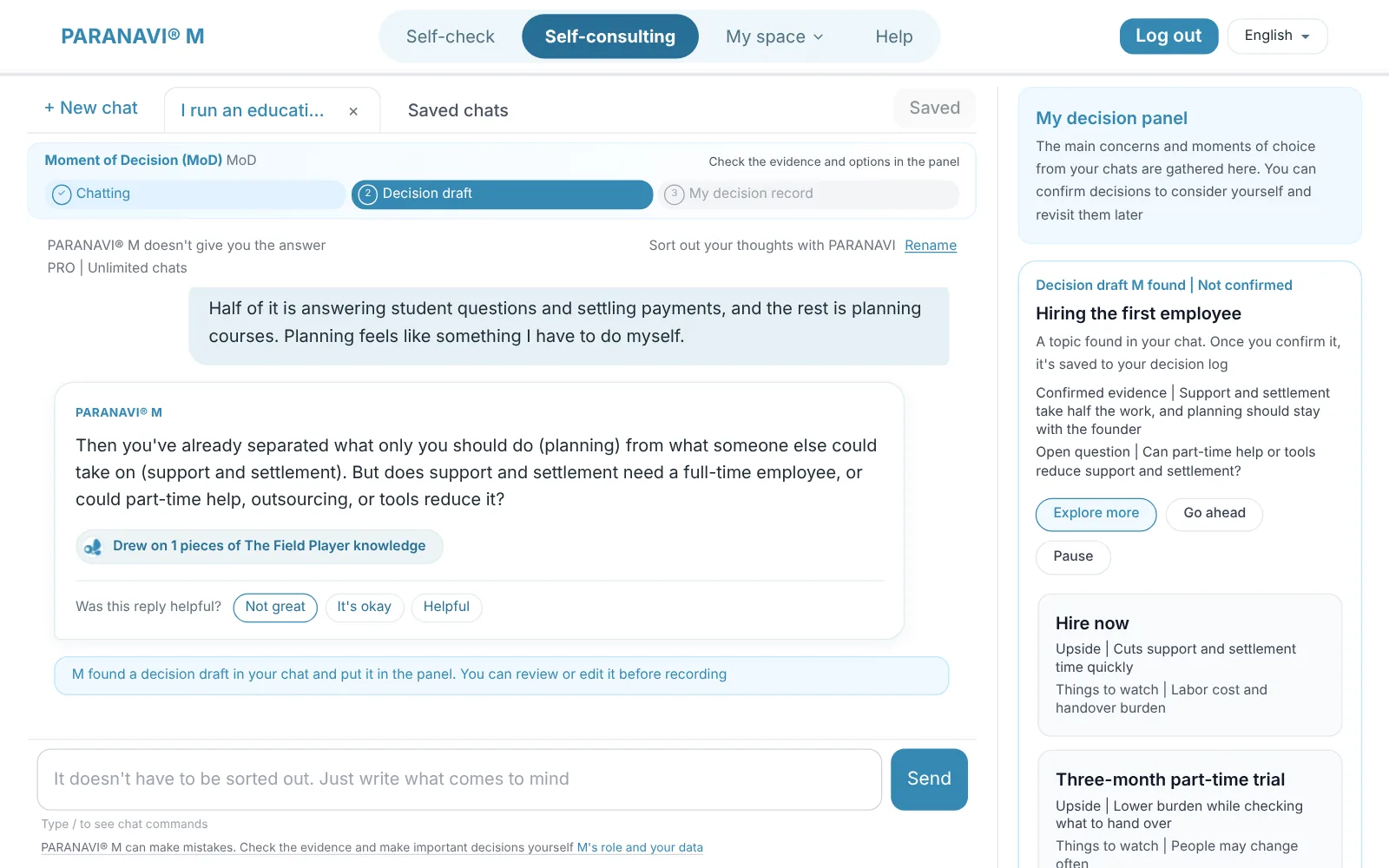
When you talk about a decision or choice in a chat, M finds the point to decide and puts a decision draft in the panel. The chat shows a notice that the decision draft has been added to the panel.
What's in a draft
- The decision topic, the evidence confirmed, and open questions
- 2 to 3 options, each with its upsides and things to look into
- Where the decision stands now: Explore more, Go ahead, or Pause
What you can do with a draft
- 1
Edit and record
Edit the content to match your real experience, then press Confirm and record to add it to My decision record.
- 2
Show me other options
Get one more set of different options.
- 3
Keep chatting
Set the draft aside and continue the chat.
- 4
Later
Put the draft off for now. It comes back when you continue the chat.
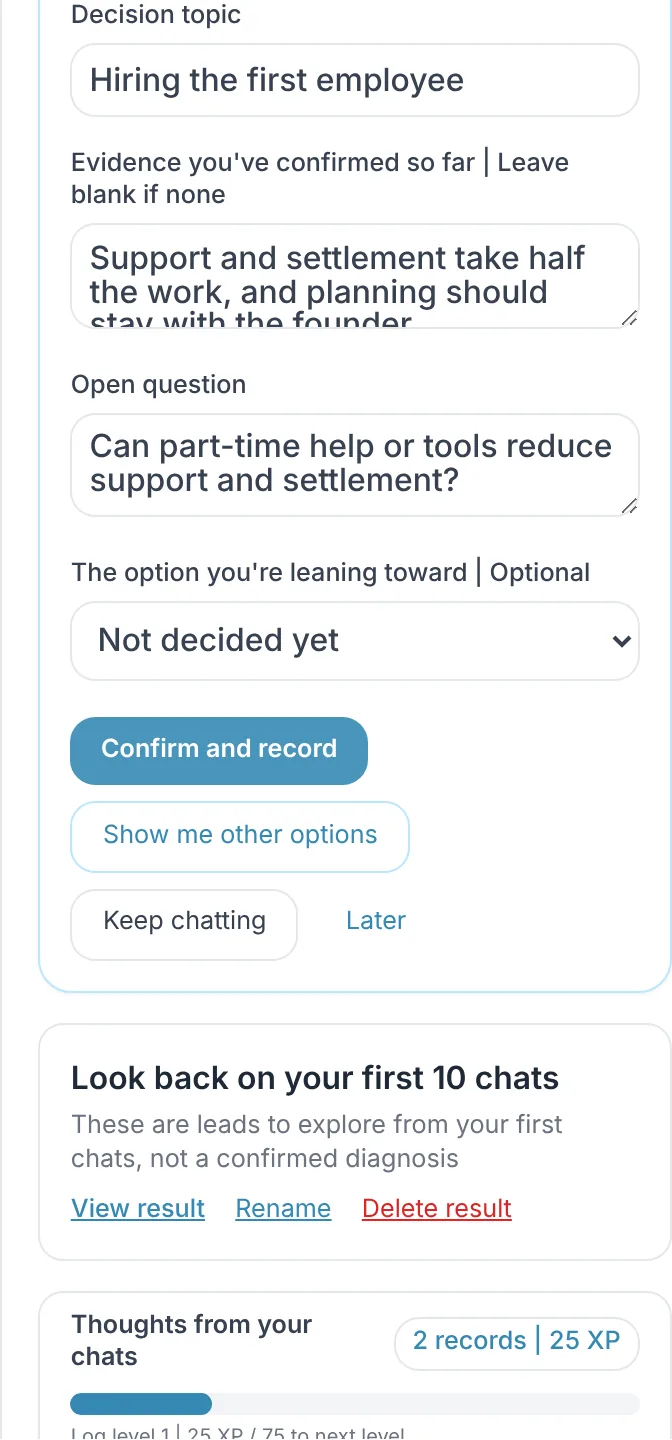
A draft made by M is unconfirmed. Only decisions you have confirmed and edited are recorded.