Editing your info and deleting your account
Change your name, password, or phone number, and delete your account if you need to
Contents
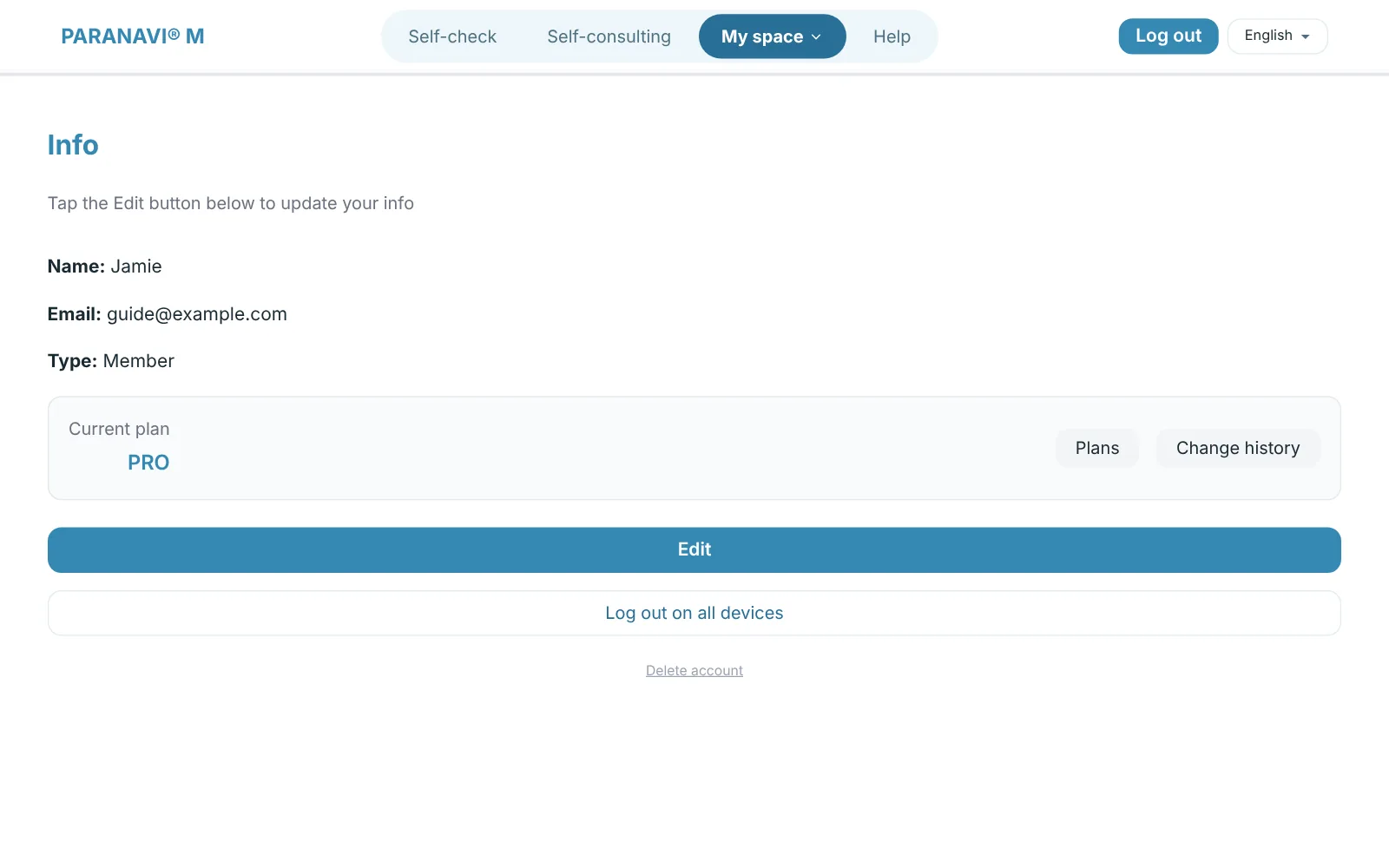
Open Info in the top menu to see your account and current plan. Press Edit to change your name, password, or phone number (used for payments and notifications).
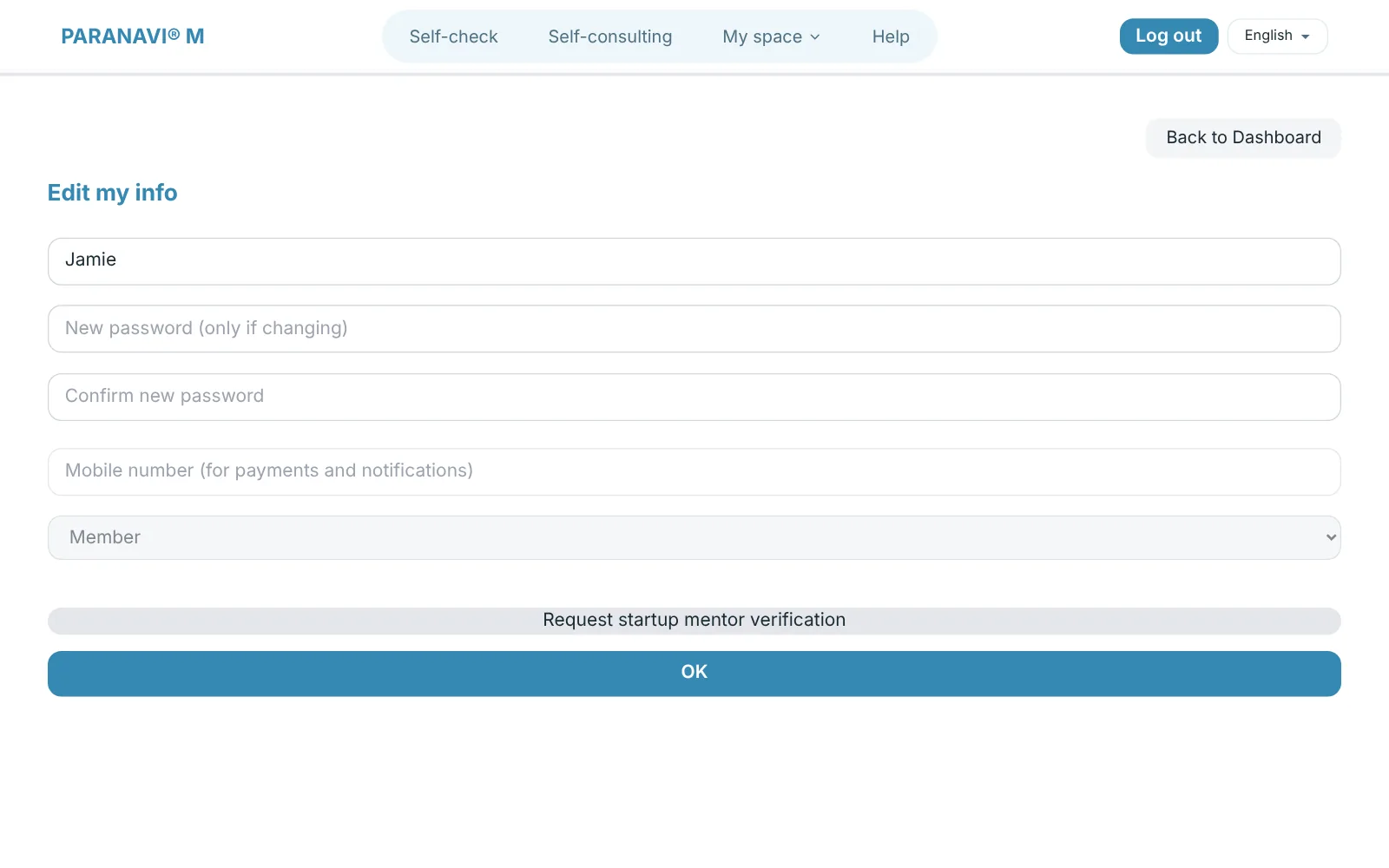
Startup mentor verification
If you're a startup mentor working with an organization, you can request verification in Edit my info by entering your experience and areas of expertise. Mentor features open after an admin reviews it.
Log out on all devices
If you're worried a PARANAVI M login is still open somewhere else, like a lecture room or a shared PC, press Log out on all devices on the Info screen. Every place logged in to M, including this device, is logged out, and your records carry on when you log in again. ABLE Insight and Lucky logins are managed separately in each service and don't end with it. On a shared PC, log in with a private browser window from the start, and the login ends when you close the window.
Deleting your account
- 1
Delete account
Press Delete account at the bottom of the Info screen.
- 2
Read the notice
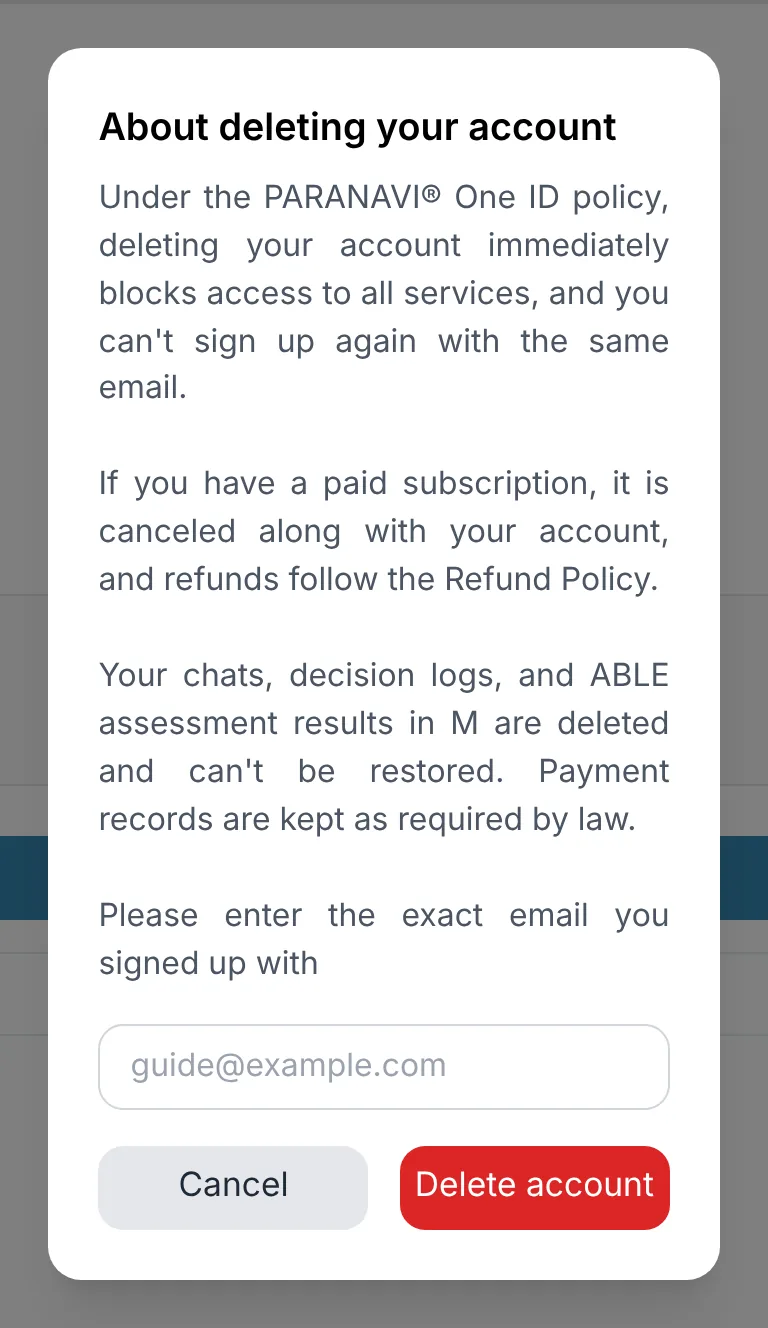
When you delete your account, access to every service on your PARANAVI® account is blocked right away, and you can't sign up again with the same email. Paid subscriptions are canceled too, and refunds follow the refund policy.
- 3
Enter your email
Enter the email you signed up with exactly, and press Delete account.
Your M chats, decision log, and ABLE assessment results are deleted after you delete your account and can't be restored. Payment records are kept as required by law.