Starting a Self-check
Upload your plan as a PDF, and M finds gaps for each review criteria item and gives you questions a reviewer would likely ask
Contents
Before you submit your business plan, Self-check finds the parts that are missing or short on evidence for each review criteria item, and gives you the questions you would likely get in a review ahead of time. Enter through the Self-check door at the top.
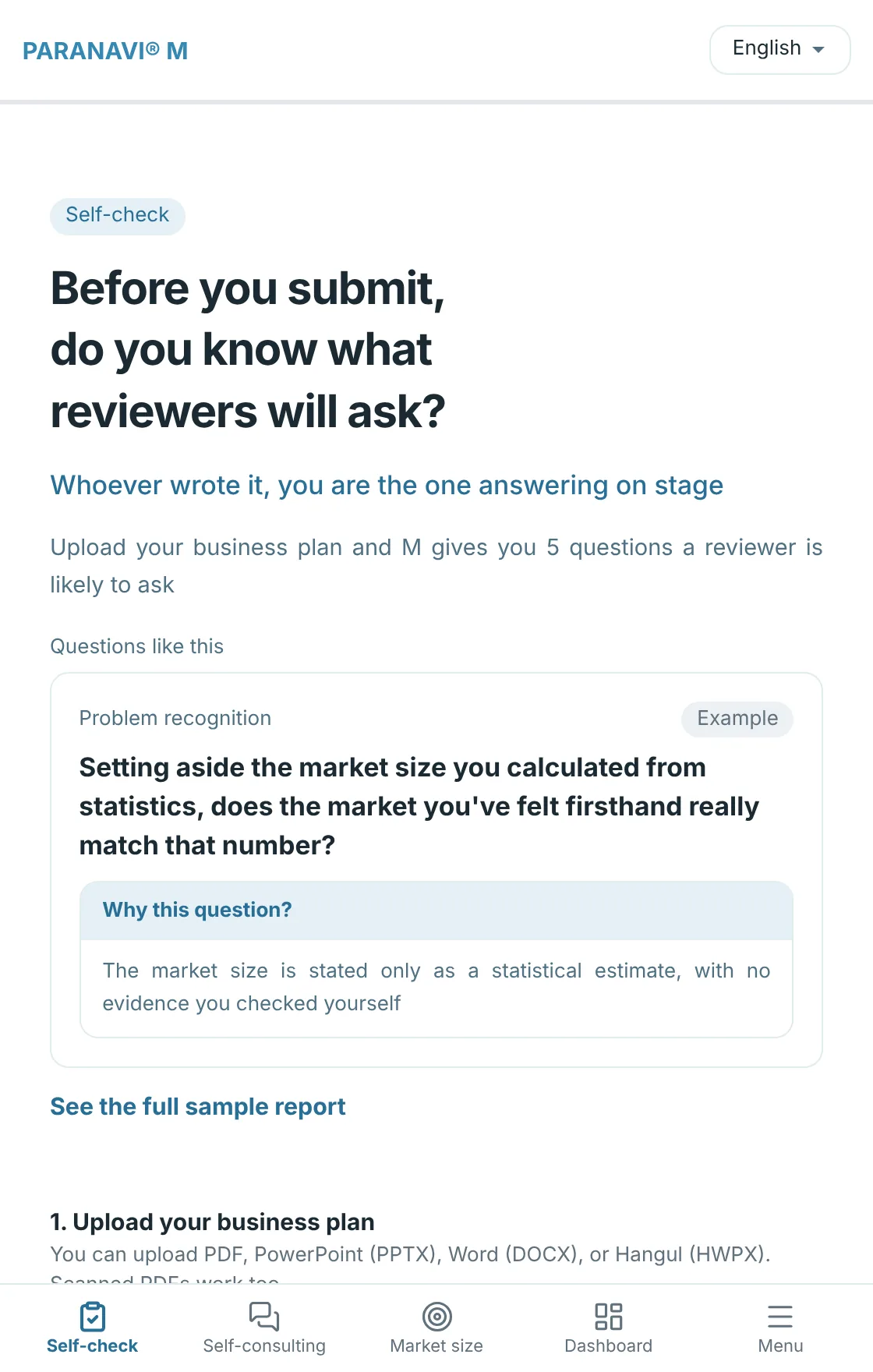
- 1
Upload your plan
Choose a PDF, PowerPoint (PPTX), Word (DOCX), or Hangul (HWPX) file. Text in scanned PDFs is also read on your device. For older formats like PPT, DOC, and HWP, or slides made only of images, save them as a PDF and upload that.
- 2
Choose where you're submitting
Choose from Pre-startup track (before starting a business or registering it), Early-stage startup track (within 3 years of founding), and Investor IR (a pitch deck for investors). Tracks still in preparation can't be selected. If you choose Not sure, M checks against the Pre-startup track criteria.
- 3
Enter the deadline
If you enter the deadline, your report shows a D-day. If you don't know it yet, you can leave it blank.
- 4
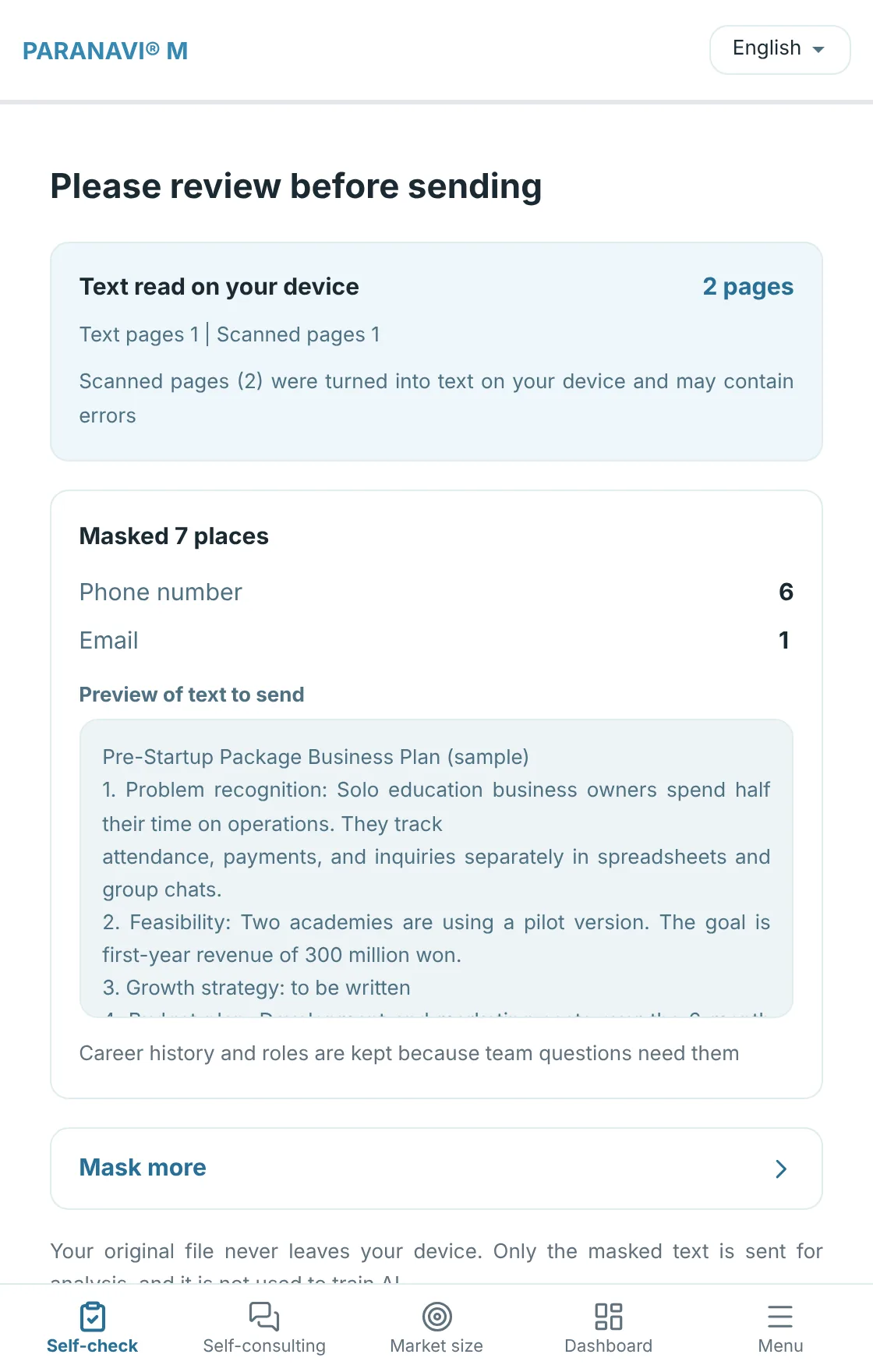
Review before sending
Check the list of masked names and contact details. If there are other words you want to mask, like your company name or a client's name, expand the list, select them, and send.
- 5
Sign up when you send
You can do everything up to here without signing up. When you send, sign up or log in in a new window, and the plan already read is sent right where you left off.
- 6
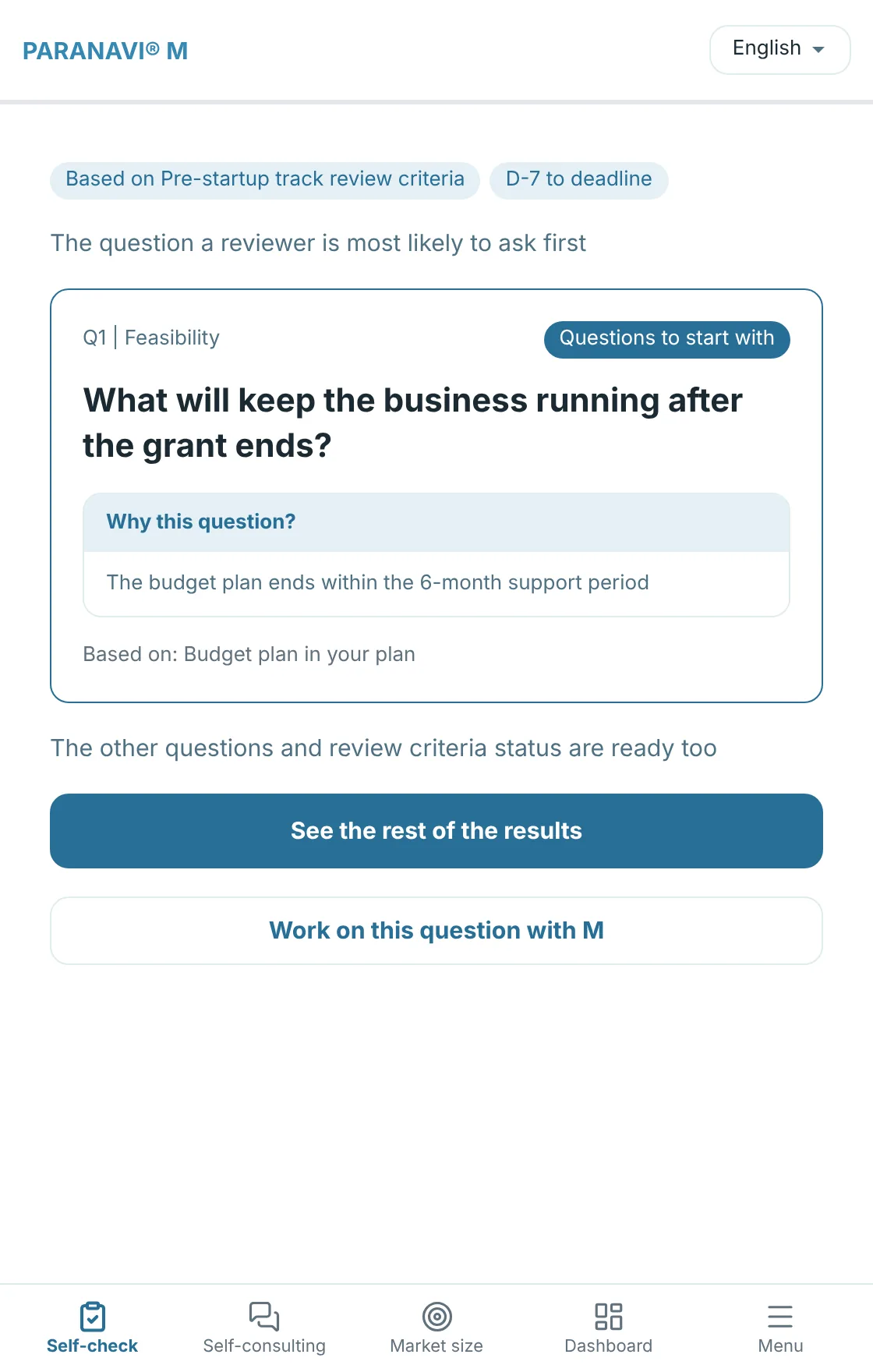
Questions to start with
The single question to prepare first appears first. Press See the rest of the results to go to your report.
No scores
M only shows you gaps and questions. It doesn't predict whether you'll pass, and it doesn't write the sentences of your plan for you. The decisions and the writing are yours.