My decision record and changed decisions
Look back at the decisions you recorded, and when a decision changes, record it with the reason
Contents
In Thoughts from your chats on the panel, press n records | n XP to open your decision log.
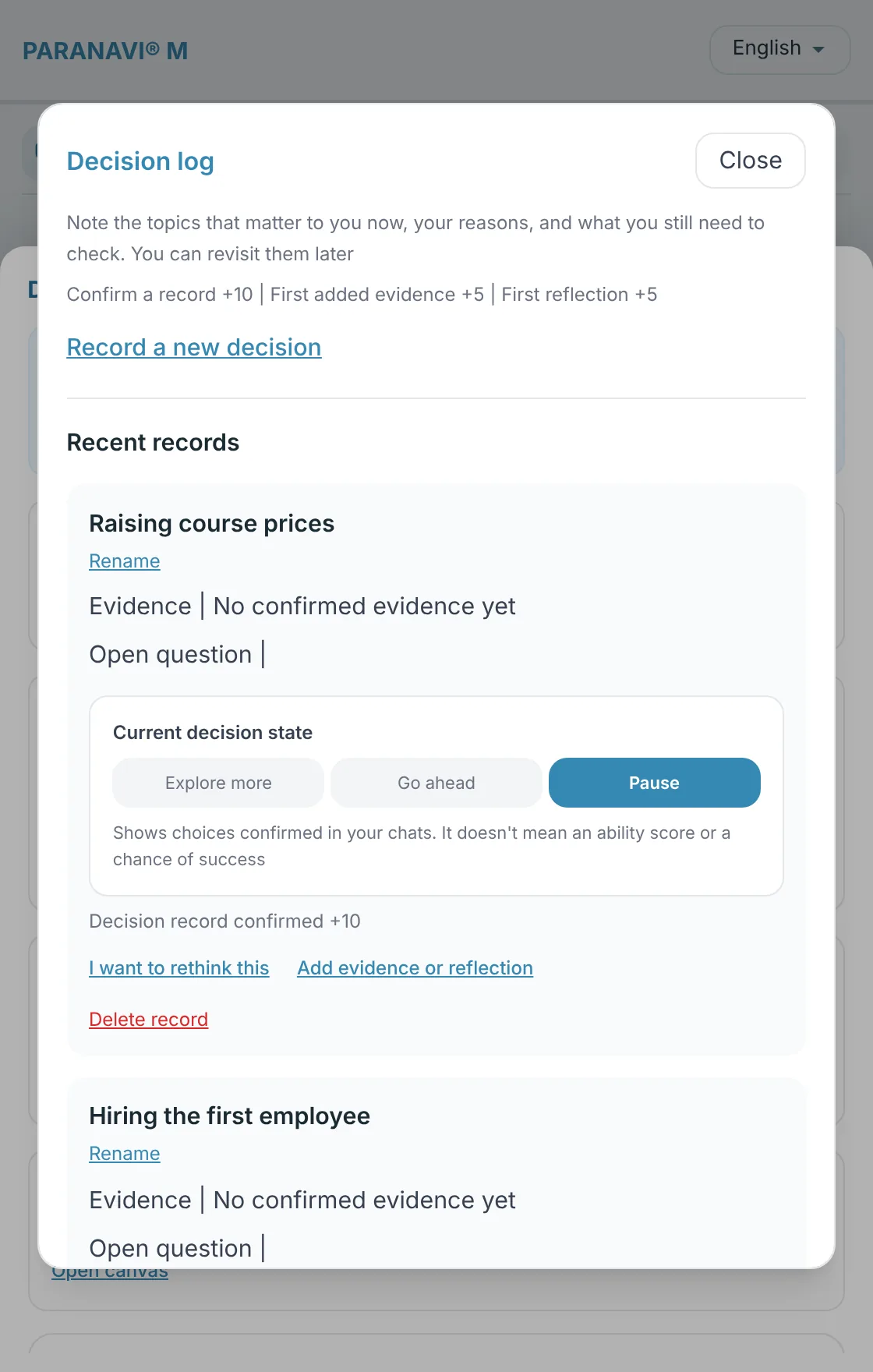
Working with records
- Record a new decision: Write down a decision topic, evidence, and open questions yourself, apart from any chat.
- Add evidence or Reflection: Add evidence to a recorded decision, or note what you see looking back.
- Rename, Delete record: Deleting a record also deletes its change history and related XP. The original chat stays.
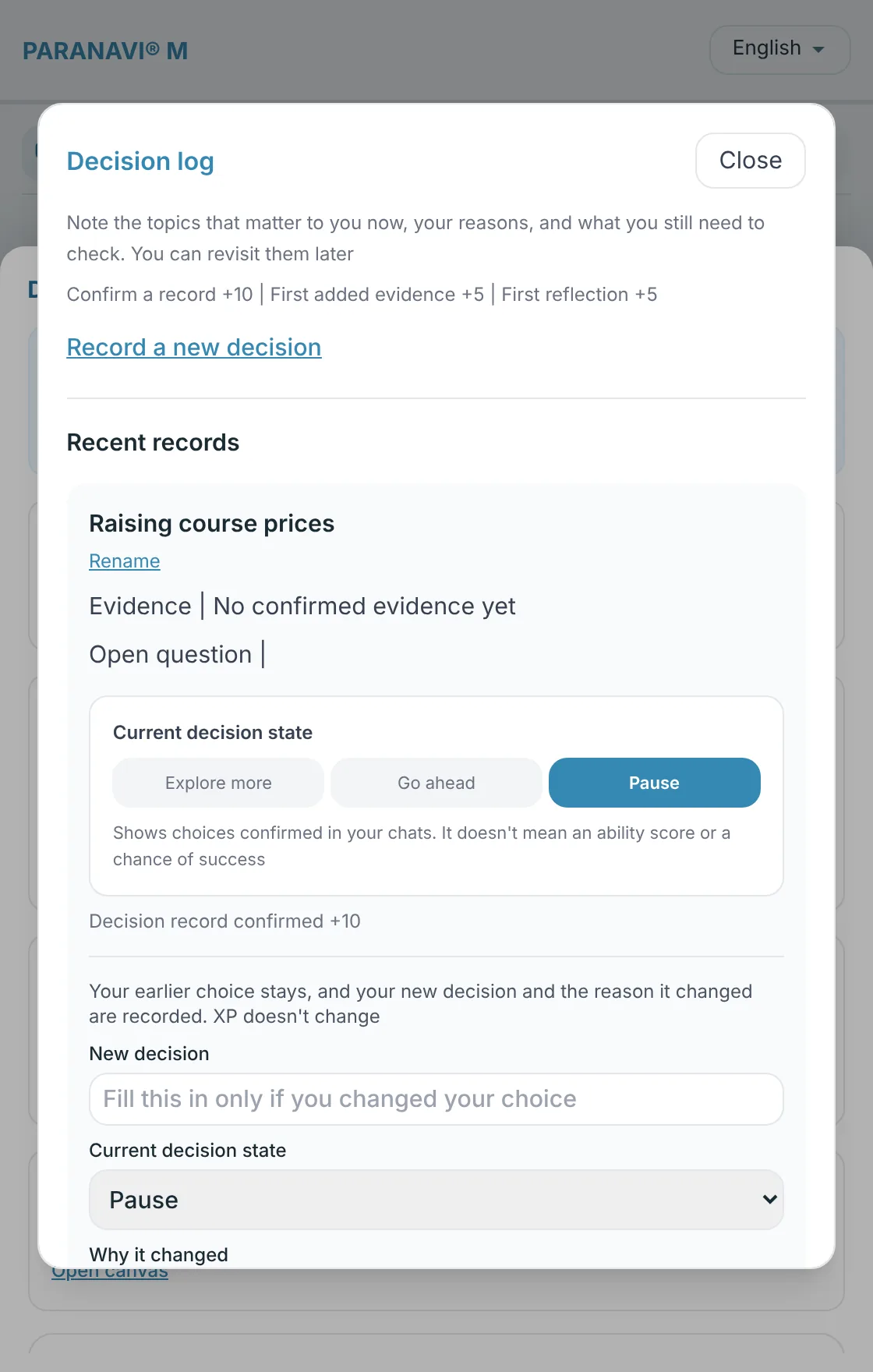
When a decision changes
- 1
I want to rethink this
Press it on the record you want to change.
- 2
New decision and why it changed
Write the new decision, where it stands now, and why it changed, then press Record change. You must write why it changed.
- 3
See the flow
Your earlier choice stays as it was, and the way the decision changed is shown as a line from the earlier decision to the new one.
XP
Confirming a record gives +10, your first added evidence +5, and your first reflection +5. XP shows how much you've recorded. It doesn't mean an ability score or a chance of success. Changing a decision doesn't change your XP.